For web agencies and freelancers, one workflow kills more billable time than almost anything else: receiving a static HTML design from a designer or AI tool and needing to rebuild it from scratch inside Elementor.
It’s not glamorous work. It’s the same sequence every time — add container, set padding, add heading, match font, set color, add button, match style. Repeated for every section, every page, every project. For a moderately complex page, it’s 4–8 hours of work. For a design-heavy site, it’s a full week.
At agency rates, that’s $600–$2,400 in labor — just to translate a design that already exists into a format Elementor can use.
This article covers exactly how to eliminate that bottleneck.
The Old Agency Workflow (And Why It Breaks Down)
The traditional HTML-to-Elementor workflow at most agencies looks like this:
- Designer or AI delivers HTML/CSS mockup
- Developer opens Elementor side by side with the HTML in a browser
- Developer manually recreates each section as native Elementor widgets
- Developer matches all typography, colors, spacing, and backgrounds
- QA pass to compare original vs Elementor version
- Revisions to fix discrepancies
Total time: 4–10 hours per page. Multiply that by a 5-page site and you’ve spent 25–50 hours on translation work that adds no creative value.
The client doesn’t pay for this. They paid for a website, not for the hours spent moving styles from one system to another.
The New Workflow: Convert, Not Rebuild
The shift is conceptual as much as technical: instead of rebuilding, you convert. The HTML page goes in, a native Elementor template comes out. No manual element-by-element work. No matching colors by eye. No wondering whether 18px or 19px matches the original design.
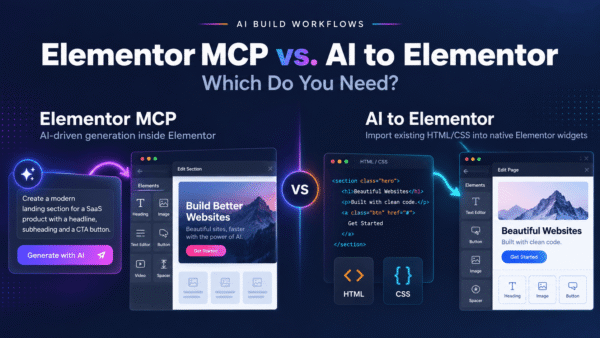
AI to Elementor is the plugin that makes this possible. It’s a WordPress plugin that converts any HTML file to a native Elementor template in 5–15 seconds. The output is real Elementor structure — containers, heading widgets, button widgets, text editors, image widgets — with all CSS properties applied as native Elementor settings.
What the Conversion Covers
Here’s what the converter handles automatically:
- Typography: Font family, size, weight, line height, letter spacing, text transform, text decoration — all mapped to Elementor’s typography controls
- Colors: Background colors, text colors, button colors, gradients — all preserved as native Elementor color settings
- Spacing: Padding and margin on every container and widget, applied with Elementor’s spacing controls
- Layout: Flex direction, flex gap, align items, justify content — mapped to Elementor container settings
- Borders: Border color, width, style, radius on all elements
- Backgrounds: Solid colors, linear and radial gradients, background images with position and size settings
- Animations: CSS keyframe animations and transitions preserved in the template
- Responsive settings: Media query breakpoints mapped to Elementor’s desktop/tablet/mobile overrides
The Numbers: What This Saves an Agency
Let’s run a realistic scenario. A mid-size agency builds 3 Elementor sites per month. Each site has 5 pages. Each page takes an average of 5 hours to rebuild manually from an HTML design.
That’s 75 hours per month on HTML-to-Elementor translation work.
At $80/hour for a mid-level developer: $6,000/month in labor on translation work alone.
With AI to Elementor at 15 minutes per page (upload, convert, QA, minor tweaks): 3.75 hours per month.
The saving: 71.25 hours/month. Enough for 9 additional complete page builds at the old rate, or enough to take on 3 extra client projects.
The plugin costs $47/year. The math is not complicated.
Common Agency Use Cases
AI-generated landing pages
Clients increasingly arrive with HTML pages generated by ChatGPT, Lovable, or bolt.new. They want them in WordPress, editable. Previously: manual rebuild. Now: upload, convert, done in 15 seconds.
HTML mockups from designers
Many designers deliver coded HTML mockups. Some use Bootstrap. Some use custom CSS. The converter handles both — it reads the rendered CSS values regardless of whether they come from a framework or hand-coded styles.
Template customization
Clients buy HTML templates from ThemeForest or similar marketplaces and want them in Elementor. Previously a full day’s work. With the converter: upload the template HTML, convert, insert, customize in Elementor.
Static site migrations
Clients migrating from old static HTML sites want their existing pages preserved while moving to WordPress. The converter handles each page individually — upload, convert, map to WordPress pages, done.
How to Integrate AI to Elementor Into Your Agency Workflow
Install once, use on all client sites
The plugin is licensed per WordPress site. Install it on each client site during the build phase. The $47/year cost is negligible compared to the labor it replaces — include it in your project setup fee.
Build a conversion-ready HTML brief for clients
If clients are generating their own HTML, share the AI Guidelines with them. The guidelines include an exact AI prompt that produces HTML optimized for conversion — more native widgets, better fidelity, less cleanup work on your end.
QA the output, don’t rebuild it
After conversion, your developer’s job shifts from “rebuild” to “QA and refine.” Check the output against the original HTML in a browser. The average pixel match is 95.5%, so most pages need only minor adjustments. Budget 15–30 minutes for QA instead of 4–8 hours for rebuild.
Use conversion as a discovery tool
For complex pages where the client isn’t sure what Elementor can replicate, convert first and review together. It’s faster to show a client “here’s what 95% of your design looks like in Elementor” than to explain it in a scoping call.
Pricing for Client Work
Some agencies are now offering HTML-to-Elementor conversion as a standalone service — importing client-provided designs into their WordPress site. With AI to Elementor, the per-page economics are:
- Old model: charge $200–$500 per page (5 hours × $40–$100/hour), 1–2 day delivery
- New model: charge $100–$200 per page (15 minutes work), same-day delivery
Lower price wins more clients. Faster delivery improves cash flow. Higher margin on each job. The service becomes a high-volume, low-friction offering instead of a time-consuming custom job.
Start Cutting Your Rebuild Time
If your agency is spending hours per page on HTML-to-Elementor translation, you’re solving a solved problem the slow way. The plugin exists, it works, and at $47/year the risk is zero — there’s a 30-day money-back guarantee.
Get AI to Elementor — $47/year, unlimited conversions →
Frequently asked questions
Everything agency owners and freelancers ask about converting HTML to Elementor at scale.
How much time does a WordPress agency save per project with HTML-to-Elementor conversion?
Agencies typically save 4 to 8 hours per page on conversion work. For a standard 5-page client site, that’s 20 to 40 hours saved per project. At a $50/hour billable rate, that translates to $1,000 to $2,000 in recaptured margin per project — the plugin pays for itself on the first delivery.
Can I use one AI to Elementor license across multiple client sites?
Yes. One $47/year license covers unlimited conversions (up to 50 per day) across any WordPress sites you own or manage. For an agency delivering 20-40 client projects a year, the per-project cost works out to about $1 to $2 — effectively negligible against the hours saved per delivery.
How does HTML to Elementor conversion fit into an agency workflow?
The typical agency workflow is: (1) designer produces HTML in v0, Bolt, Lovable, ChatGPT, or a traditional static mockup, (2) developer installs AI to Elementor on the client’s WordPress site, (3) developer uploads the HTML and clicks Convert — under 60 seconds later there’s a native Elementor template, (4) developer or designer polishes in Elementor’s visual editor, (5) page delivered. The conversion step replaces 4-8 hours of manual rebuilding.
Can junior team members use AI to Elementor reliably?
Yes — that’s one of the design goals. Junior developers and designers can run conversions without needing to understand HTML, CSS, or Elementor internals deeply. The output is consistent and predictable (95.5% pixel fidelity across hundreds of test pages), so a junior can convert and hand off a page with the senior only doing final QA instead of manual rebuilding.
Will the converted pages be editable by non-technical clients after delivery?
Yes. AI to Elementor produces native Elementor widgets (Heading, Button, Image, Container, Text Editor), which are individually editable through Elementor’s visual panels. Non-technical clients can change text, swap images, adjust colors, and rearrange sections using the same visual editor they already know — no HTML or CSS required. This dramatically reduces post-delivery support requests.
Can I price client projects higher by using AI-assisted conversion?
Yes, and this is how most agencies use the tool profitably. You don’t need to disclose the tool. What you’re selling is the deliverable (a fully editable Elementor page, delivered fast), not the method. Agencies commonly charge $500-$2,000 per landing page. When conversion takes minutes instead of hours, your effective hourly rate on those projects multiplies — or you can discount the timeline to win more projects while keeping the same margin.
Is AI to Elementor reliable enough for agencies handling dozens of client sites?
Yes. The plugin has been tested across hundreds of real production pages with 95.5% average pixel fidelity. The 4.5% typically requires minor spacing or typography adjustments that take seconds in Elementor’s editor. The 30-day money-back guarantee lets you test on actual client work risk-free. For agencies worried about long-term maintenance, the plugin is actively maintained and supports both current and future Elementor versions via the container system.
Should I tell my clients I’m using AI-assisted conversion tools?
This is a business decision. Most agencies don’t disclose specific tools in their workflow — clients buy outcomes (fast delivery, editable pages, professional quality), not process. Some agencies specifically position themselves as “AI-powered” to attract clients wanting modern workflows; others keep tooling private to protect margins. Either positioning is legitimate, and AI to Elementor works equally well in both.