
Cursor to Elementor takes three stages: Cursor’s Agent writes the page as one HTML file, the free AI to Elementor plugin converts it, and the template opens in Elementor as native widgets. One free conversion per website needs no sign-up and no key. The Solo plan then costs $47 a year for 30 conversions a month on one domain.
Cursor to WordPress follows the same route, because the page lands as an Elementor template on your WordPress site. Cursor is an AI coding agent from Anysphere, Inc. (cursor.com, checked November 6, 2026). Its Agent edits the files of your project and runs terminal commands (cursor.com/docs/agent/overview, checked November 6, 2026). The page you want in Elementor is therefore a file in your project already, or the page your project renders in the browser. Its CSS goes in a style tag inside the file, or beside the page in a .zip with its images.
Disclosure: this page is published by AI to Elementor, one of the tools named. We have not tested the Cursor routes of UiChemy, WPConvert.ai or Elementor MCP, nor our own MCP route from Cursor. Every fact about Cursor and the other tools comes from their own pages listed in the Sources, read November 6, 2026.
| Cursor to Elementor at a glance | |
|---|---|
| Source | One HTML page from your Cursor project, with its CSS in a style tag or beside it in a .zip |
| Converter | AI to Elementor, a free WordPress plugin; the conversion runs on our API |
| Free | One free conversion per website, no sign-up and no key |
| Paid plans | $47 a year (Solo, 1 domain, 30 conversions a month) · $79 a year (Pro, 3 domains, 100 conversions a month) · $247 a year (Agency, unlimited domains, no monthly cap, up to 50 conversions a day per license key) |
| Output | Native Elementor widgets in Saved Templates; navigation menus, tables, inline SVG icons and forms on Elementor Free stay as HTML widgets |
| Does not convert | Content a script builds at runtime, JavaScript behavior, app logic and backends, Figma files, a whole site in one conversion; pages authored in Divi, WPBakery, Beaver or Bricks convert poorly |
| Needs | WordPress 6.8 or later, Elementor Free or Pro with the Flexbox Container feature on, and an administrator or an editor (the network administrator on a multisite) |
| Checked against the wp.org readme 1.3.51, our AI Guidelines, our Terms §8, the aitoelementor.com pricing block and wordpress.org/plugins/elementor/ on November 6, 2026. | |
A page Cursor wrote as static HTML becomes an editable Elementor template, and the Solo plan at $47 a year covers 30 conversions a month, whatever Cursor plan you use.
Contents
- What does Cursor give you for Elementor?
- How to convert a Cursor page to Elementor
- What converts from a Cursor page, and what does not?
- Can a React or Next.js project from Cursor convert?
- Can Cursor build Elementor pages through MCP?
- Which other tools take a Cursor build to WordPress?
- How much does Cursor to Elementor cost?
- Frequently asked questions
- Sources
What does Cursor give you for Elementor?
What Cursor gives you for Elementor is the code its Agent writes into your project’s files. Cursor’s Agent searches your codebase, edits files, runs shell commands and controls a browser to take screenshots, by Cursor’s agent overview (checked November 6, 2026). Three kinds of project come out of a Cursor session, and each one reaches Elementor by its own route.
| Cursor project | What the files are | What you convert |
|---|---|---|
| One HTML file | An index.html with its CSS in a style tag | The file itself, pasted or uploaded |
| HTML with separate CSS and images | An index.html, a styles.css and an images folder | One .zip holding the HTML file, the stylesheet and the images |
| Framework project (React, Next.js, Vite) | Components and a build setup, not a finished page | The page as the browser renders it, saved with its CSS; or a single HTML file you ask Cursor’s Agent to write from the page, checked in a browser against the original |
| Routes from the AI to Elementor readme 1.3.51 (.html and .zip uploads) and our AI Guidelines (the fully rendered page), checked November 6, 2026. | ||
The first row is the shortest route, because one file with its CSS inside converts without a .zip. Cursor writes that file when you ask for it. The prompt in our AI Guidelines asks for “a complete, single-file HTML page” with all CSS in one style block in the head. Cursor’s Live Apps, announced November 5, 2026, take another direction: Cursor builds an app, provisions the hosting and returns a live link (cursor.com/changelog/build-live-apps). Live Apps run on paid plans with cloud agents, from Premium at $30 a month (cursor.com/pricing, checked November 6, 2026). An app hosted by Cursor is not a WordPress page, so the steps below start from the HTML file.
How to convert a Cursor page to Elementor
To convert a Cursor page to Elementor, take the page out of your project as HTML and convert it in the WordPress admin. The route takes six steps.
- Ask Cursor’s Agent for one self-contained HTML page, for example with the prompt in our AI Guidelines: one file, all CSS in a style tag in the head, images by absolute URL.
- Open the page in a browser and check it. For a framework project, ask Cursor’s Agent to write the rendered page as one HTML file, because a page saved from the dev server points its files at localhost.
- Install the free plugin “AI to Elementor — HTML Importer for Elementor” from WordPress.org, with Elementor Free or Pro active and its Flexbox Container feature on.
- Open AI to Elementor → Convert in the WordPress admin, as an administrator or an editor, or as the network administrator on a multisite.
- Paste the HTML, or upload the .html file or a .zip with the page, its CSS and its images, then enter a template title and click “Convert to Elementor”.
- Open the template from the link on the result screen, or from Templates → Saved Templates in the WordPress admin.
The first conversion on the site needs no key, and a paid plan’s key goes under Settings. A working setup needs WordPress 6.8 or later (Elementor’s minimum; the plugin itself needs 5.8) and a host that allows outbound HTTPS to our API. A site that sets DISALLOW_UNFILTERED_HTML lets nobody convert. Images in a .zip go into the Media Library, with their paths updated in the template (readme 1.3.51, checked November 6, 2026). A site of several pages takes one conversion per page, and our guide on how to migrate an HTML website to WordPress covers the menus and redirects around them. What lands in Elementor depends on each element.
What converts from a Cursor page, and what does not?
What converts from a Cursor page is its static HTML and CSS, and every element lands in one of three buckets.
| Bucket | What goes there | What you do with it in Elementor |
|---|---|---|
| Native widgets | Containers from sections and flex or grid layouts, headings, text, buttons, images, icons, tabs, FAQs and accordions; colors, gradients, Google Fonts loaded with a link tag, CSS variables, Tailwind utility classes; tablet and mobile settings from the page’s @media rules | Edit text, colors, spacing and images in the widget panels |
| Kept as an HTML widget | Navigation menus and sticky headers, tables, inline SVG icons, forms on Elementor Free (Pro’s Form widget on Elementor Pro), elements that animate visible text, intricate custom blocks; the page’s CSS in one widget at the top and its scripts as code in one widget at the end | Edit as HTML; the widget renders as in the original |
| Reduced or not carried over | A carousel arrives with its slides stacked, or whole in an HTML widget when its own script drives it. Content a script builds at runtime (React or Vue sections, canvas) is not in the static HTML. GSAP ScrollTrigger timelines do not bind to Elementor’s page. App logic, databases and backends stay in the project. Pages authored in Divi, WPBakery, Beaver or Bricks convert poorly. | Save the rendered page; rebuild the interactive parts with Elementor’s own controls |
| From our AI Guidelines and readme 1.3.51, checked November 6, 2026, and our engine’s code, read October 30, 2026. | ||
The table splits a Cursor page three ways: layout and text become native widgets, the menu and an Elementor Free form stay HTML widgets, and app logic stays in your project. CSS animations, transitions and hover states carry over. On Elementor Pro, a header converted in header mode gets Pro’s Nav Menu widget. A framework project needs one step more.
Can a React or Next.js project from Cursor convert?
Yes, a React or Next.js project from Cursor converts once you save the page the browser renders, with its CSS. The converter reads the HTML of a page, and a React or Next.js project’s component files hold code, not the finished page. Content a script builds at runtime does not exist in static HTML, by our AI Guidelines. Run the project and save the fully rendered page, with its stylesheets and images in one .zip, since our API cannot reach files on localhost. A saved page keeps animation start states, so scroll to the end first and let every section appear.
A shorter route for one page is a request to Cursor’s Agent for a single-file HTML version of that page, with the CSS in a style tag. Check that file in a browser against the original. The project’s data, routes and API calls stay in the project, and the template holds the page as it looked. Cursor reaches Elementor through MCP by a second route.
Can Cursor build Elementor pages through MCP?
Yes, Cursor can build Elementor pages through MCP, because Elementor MCP connects Cursor, Claude, Codex and other AI tools to an Elementor site. Elementor’s page says the MCP works best with Claude Code, Claude Desktop, Codex and Cursor. Connecting is free, only site admins connect, and every generation lands as a draft for review (elementor.com/mcp/, checked November 6, 2026). Cursor adds MCP servers from its Customize page or in a mcp.json file (cursor.com/docs/mcp, checked November 6, 2026).
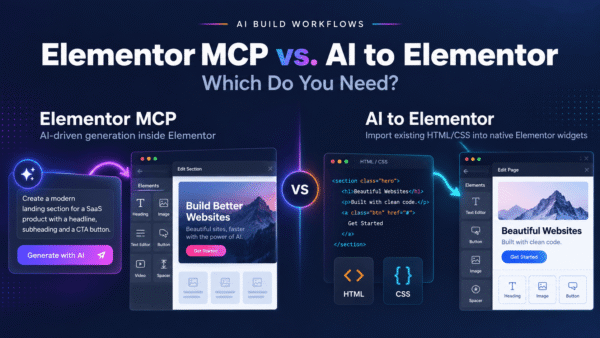
Elementor MCP builds with atomic elements, and it edits existing pages only when they were built with atomic elements and layouts (V4). Older Widget (V3) layouts come later, by the same page. Basic sections are free to generate, Pro elements need an Elementor Pro plan, and the AI tool’s own costs are separate. AI to Elementor writes classic Elementor elements, so Elementor MCP does not edit a converted template until it supports Widget (V3) layouts (readme 1.3.51; elementor.com/mcp/, checked November 6, 2026). The main difference from AI to Elementor is the starting point. Elementor MCP builds a new page from your prompt, with a brief, a screenshot or a Figma design attached. AI to Elementor converts a page that exists as HTML.
Since plugin 1.3.50, an AI tool connected through Elementor’s MCP server can run the AI to Elementor conversion. The route needs WordPress 6.9 or later and Elementor 4.3 or later with its MCP switched on, and it uses the same plan and allowance as the Convert button (readme 1.3.51). The readme names Claude as its example, and we have not tested the route from Cursor. Where each tool fits is set out in our comparison of Elementor MCP vs AI to Elementor. Two more tools publish routes for Cursor.
Which other tools take a Cursor build to WordPress?
Two other tools take a Cursor build to WordPress with pages of their own about Cursor: UiChemy and WPConvert.ai.
| Tool | What it takes from Cursor | What lands in WordPress | Price |
|---|---|---|---|
| UiChemy | The build, pushed from Cursor through the UiChemy MCP or another WordPress MCP after you install its plugin and connect once | Pages in Elementor or Gutenberg, with Bricks “coming soon”, edited afterwards in UiChemy Composer | Free to start, while its Cursor page puts the full Composer, Theme Builder and MCP push on Pro; Free plan 1,000 credits a month; Designer from $8 a month billed yearly, with a Halloween offer on the first payment until November 9, 2026 |
| WPConvert.ai | A ZIP of the static HTML, CSS, JavaScript and assets, or on Pro and Agency its CLI from the project folder, and an MCP server it lists for Cursor and other AI assistants; for a React project, the production build (typically dist/) | An installable WordPress theme, edited with the WPConvert Editor; “Elementor and Gutenberg formats coming soon” | Free preview, then $19 for the download (Starter); $49 a month for 20 conversions (Pro); $249 a month for unlimited conversions (Agency); a Pay-As-You-Go option is named in its Cursor FAQ |
| AI to Elementor | One HTML page, pasted or uploaded as an .html file or a .zip | One Elementor template per page, of native widgets, with HTML widgets where an element does not map | One free conversion per website; $47 a year for 30 conversions a month (Solo) |
| Elementor MCP | A prompt in Cursor, with a brief, a link, a screenshot or a reference document | A draft built in atomic elements | Free to connect; Pro elements need Elementor Pro |
| From each tool’s own pages, read November 6, 2026: uichemy.com/ai-to-wordpress/cursor-to-wordpress/ and /pricing/, wpconvert.ai/convert/cursor-to-wordpress/ and the wpconvert.ai homepage’s structured data, elementor.com/mcp/. Prices in US dollars. | |||
The table separates the four routes by what you hold afterwards: a theme with WPConvert.ai, UiChemy pages with UiChemy, an Elementor template with AI to Elementor, and a draft with Elementor MCP. UiChemy’s two pages describe its output in two ways. Its Cursor page says the build lands “as native, editable elements in Elementor or Gutenberg”. Its wordpress.org description says it converts “using a single UiChemy Composer widget”. Another line of the same description calls the output “native Elementor, Gutenberg or Bricks elements” (both checked November 6, 2026). Both pages agree that the build lands in WordPress and is edited in UiChemy Composer, and a test page shows which output reaches your site.
WPConvert.ai’s FAQ for Cursor says the theme keeps the site’s CSS, layouts and responsive behavior (wpconvert.ai/convert/cursor-to-wordpress/, checked November 6, 2026). The same FAQ says it converts “rendered HTML/CSS/JS, not a live React bundle or npm run dev server”. Its editor answer adds that the WordPress block editor does not show the converted theme regions. Every HTML converter we checked, with its price, is in our list of the best HTML to Elementor converters. The cost of the route comes from two bills.
How much does Cursor to Elementor cost?
Cursor to Elementor costs nothing for the first page, because Cursor’s Free plan includes the Agent with limited usage and AI to Elementor’s first conversion per website is free. Cursor’s paid plans start at $8 a month (Plus, Grok models only), and Premium costs $30 a month. Third-party models in Cursor are billed separately by usage, and the prices exclude taxes (cursor.com/pricing, checked November 6, 2026).
AI to Elementor’s Solo plan costs $47 a year for 1 domain and 30 conversions a month. Pro costs $79 a year for 3 domains and 100 conversions a month. Agency costs $247 a year for unlimited domains, no monthly cap, up to 50 conversions a day per license key. Every plan carries a 30-day money-back guarantee (aitoelementor.com pricing block, checked November 6, 2026; the daily cap from our Terms §8). Cursor bills for the AI that writes the page, and the plugin’s plan sets how many pages you convert. The questions below cover the rest.
Frequently asked questions
Short answers on Cursor and Elementor, each from the pages named in the Sources.
Do you need a paid Cursor plan to convert a page to Elementor?
Does AI to Elementor work with Elementor Free?
Can AI to Elementor convert a whole Cursor site at once?
Does the converted page keep Cursor’s animations?
Try AI to Elementor
Try AI to Elementor on a Cursor page: the plugin converts its HTML into an editable Elementor template from the WordPress admin, with native widgets where the converter can map them.
The plugin is free to install from WordPress.org, and one free conversion per website needs no sign-up or key. The plans on the AI to Elementor homepage start at $47 a year. Our complete guide shows how to convert HTML to Elementor for any source.
Sources
- Cursor as a coding agent; Anysphere, Inc. · cursor.com and cursor.com/docs · checked November 6, 2026
- Cursor’s Agent: search, file edits, shell commands, browser screenshots · cursor.com/docs/agent/overview · checked November 6, 2026
- Cursor Live Apps: hosting and a live link, announced November 5, 2026, on all paid plans with cloud agents enabled · cursor.com/changelog/build-live-apps · checked November 6, 2026
- Cursor MCP servers from the Customize page or mcp.json · cursor.com/docs/mcp · checked November 6, 2026
- Cursor plans: Free with limited agent requests, cloud agents from Premium, Plus $8 a month with Grok models only, Premium $30 a month, third-party models billed by usage, taxes excluded · cursor.com/pricing · checked November 6, 2026
- Elementor MCP: Cursor among the AI tools, references such as a brief, a link, a screenshot, a reference document or a Figma design, free connection, site admins, drafts, atomic elements and V4 layouts, Widget (V3) layouts later, basic sections and Pro elements, the AI tool’s own costs, attachments · elementor.com/mcp/ · checked November 6, 2026
- UiChemy Cursor to WordPress: the UiChemy plugin and MCP or another WordPress MCP, what Pro adds, Elementor or Gutenberg, Bricks coming soon, UiChemy Composer, native editable elements · uichemy.com/ai-to-wordpress/cursor-to-wordpress/ · checked November 6, 2026
- UiChemy Free plan credits, Designer price billed yearly, Halloween offer until November 9 · uichemy.com/pricing/ · checked November 6, 2026
- UiChemy’s single Composer widget and native builder elements · wordpress.org/plugins/uichemy/ · checked November 6, 2026
- WPConvert.ai for Cursor: ZIP of the static files, the production build for React, a WordPress theme, the WPConvert Editor, CSS, layouts and responsive behavior, the CLI on Pro and Agency, CLI, API and MCP access, Pay-As-You-Go, rendered HTML not a live bundle, block editor regions · wpconvert.ai/convert/cursor-to-wordpress/ (page text and structured data) · checked November 6, 2026
- WPConvert.ai plans, its MCP server for AI assistants and Elementor formats coming soon · wpconvert.ai (structured data in the page code) · checked November 6, 2026
- AI to Elementor: the conversion service, “Convert to Elementor”, one free conversion per website, one page per conversion, the .zip with images and CSS, Media Library import, Elementor Free and Pro, Flexbox Container, Saved Templates, the unfiltered-HTML right, the multisite rule and DISALLOW_UNFILTERED_HTML, outbound HTTPS, the MCP route since 1.3.50, classic elements in Elementor 4 · wordpress.org/plugins/aitoel-html-importer/ (readme 1.3.51) · checked November 6, 2026
- Plans and prices · aitoelementor.com/ (pricing block) · checked November 6, 2026
- Daily limit of 50 conversions per license key · aitoelementor.com/terms-and-conditions/ §8 · checked November 6, 2026
- 30-day money-back guarantee · aitoelementor.com/refund/ · checked November 6, 2026
- The single-file prompt, the three buckets, runtime JavaScript, other builders, the fully rendered page · aitoelementor.com/ai-guidelines/ · checked November 6, 2026
- The widgets the engine writes, CSS and scripts in HTML widgets, tablet and mobile settings, carousels stacked or kept whole, GSAP ScrollTrigger, Pro’s Form widget and Nav Menu widget; saved pages keep animation start states · our engine’s mainline code and repository · read October 30, 2026
- WordPress 6.8 as Elementor’s minimum · wordpress.org/plugins/elementor/ · checked November 6, 2026
Competitor prices change; the check date tells you how old each figure is.