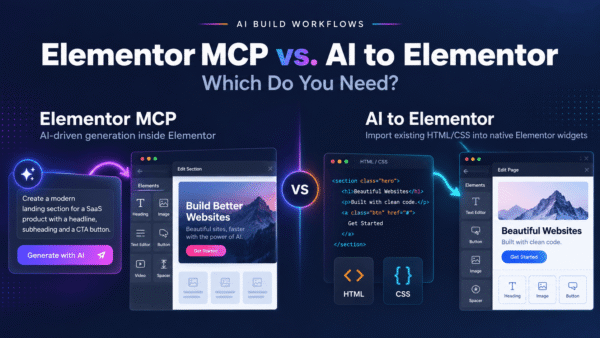

Both Web2Elementor and AI to Elementor promise the same destination: a design turned into Elementor. The difference is where the work happens and what you get at the end. Web2Elementor is a browser-based SaaS — you convert in a web app, then move the result into WordPress. AI to Elementor is a native plugin that runs inside WordPress and outputs native, editable widgets directly. This page compares them honestly so you can decide which workflow fits how you actually build.
Quick take: both convert to Elementor and both are legitimate. Web2Elementor is a flexible browser tool that accepts URLs, images, and HTML. AI to Elementor is the better fit if you want to skip the browser-to-WordPress copy-paste entirely and get truly native widgets, on annual pricing, with a more generous free trial.
What Web2Elementor does
Web2Elementor is a browser-based tool that converts a URL, an image, or HTML into Elementor. Its free plan allows roughly one use every two months, after which you move to a monthly subscription. The workflow lives in the browser: you feed it a source, it produces Elementor output, and you bring that output into your WordPress site.
Credit where it’s due: accepting multiple input types — including a live URL or an image — is genuinely useful. If you want to point at an existing page and pull it toward Elementor, or start from a screenshot, that flexibility is a real strength, and AI to Elementor’s HTML-first approach doesn’t cover the image-to-Elementor case the same way. Being browser-based also means there’s nothing to install to try it, which lowers the barrier to a first look.
The honest trade-offs: because it’s a separate web app, the workflow involves a copy-paste step between the browser and WordPress — the conversion doesn’t happen where your site lives. The free tier is limited (about one conversion every two months), and ongoing use is a monthly subscription. And depending on the input, “Elementor output” from a URL or image can need cleanup before it’s genuinely editable the way a hand-built page is.
What AI to Elementor does
AI to Elementor is a WordPress plugin. The conversion happens inside your WordPress admin, not in a separate browser app — so there’s no shuttling output back and forth between two environments. You paste HTML and CSS (from any AI tool or source), and it parses the markup deterministically into native, editable Elementor widgets: headings, text, buttons, images, containers, columns, with fonts, colors, spacing, CSS animations, and hover states preserved.
It works with Elementor Free, uses annual pricing ($47/yr Solo for 30 conversions/mo, $79/yr Pro for 100/mo, $297/yr Agency for unlimited), and gives you one free conversion to try it on your own design. Because it’s rule-based, the same HTML produces the same widgets every time.
Quick verdict: which one should you use?
Choose Web2Elementor if: you want to convert from a live URL or an image (not just HTML), you like a browser-based tool with nothing to install, and a monthly subscription with occasional free use fits how you work.
Choose AI to Elementor if: you want the conversion to happen inside WordPress with no browser-to-WP copy-paste, you value truly native and editable widgets with animations preserved, you prefer annual pricing, and you want a more generous free trial to test on your own design.
Feature comparison
| Feature | Web2Elementor | AI to Elementor |
|---|---|---|
| Where it runs | Browser-based SaaS (separate web app) | Native plugin, inside WordPress |
| Inputs accepted | URL, image, or HTML | HTML/CSS (from any AI tool or source) |
| Workflow | Convert in browser, then copy-paste into WordPress | Paste and convert directly in WordPress — no round-trip |
| Output | Elementor output (may need cleanup by input type) | Native, editable Elementor widgets |
| Conversion method | Browser-side conversion | Deterministic HTML/CSS parsing |
| Preserves animations & hover states | Varies by input | Yes — fonts, colors, spacing, CSS animations, hover states |
| Free tier | ~1 use every 2 months | One free conversion to try |
| Pricing model | Monthly subscription after free tier | Annual: $47 Solo, $79 Pro, $297 Agency |
| Elementor Free support | Varies | Yes |
When Web2Elementor is the better choice
Let’s be straight about where Web2Elementor wins, because in some cases it clearly does:
- You want to convert from a URL. If your goal is “take this existing live page and pull it toward Elementor,” Web2Elementor’s URL input does something AI to Elementor’s HTML-paste workflow doesn’t directly do.
- You want to convert from an image. Starting from a screenshot or a mockup image is a real use case, and image input is a genuine Web2Elementor strength.
- You don’t want to install anything. As a browser tool, there’s nothing to add to WordPress to try it — handy for a quick one-off or if you can’t install plugins.
- Monthly billing suits you. If you only need occasional conversions and prefer month-to-month, its model may fit better than an annual plan.
If your source is a URL or an image rather than HTML, Web2Elementor is likely the more direct tool. Use what matches your input.
When AI to Elementor is the better choice
For the common case — you have HTML (often AI-generated) and you want it as clean, editable Elementor on a site you control — AI to Elementor is the more direct fit:
- No browser-to-WordPress copy-paste. The conversion happens inside WordPress, so you skip the round-trip of converting in one app and pasting into another. Fewer steps, fewer places for the layout to get mangled in transit.
- Truly native, editable widgets. The output is real Elementor widgets you keep editing by hand — not an embed, an image, or a locked block that needs untangling.
- Deterministic results. The same HTML produces the same widgets every time, because parsing is rule-based rather than a best-effort interpretation of a URL or screenshot.
- Animation preservation. Reading the actual CSS means fonts, colors, spacing, CSS animations, and hover states carry over into the widgets.
- Annual pricing and a real free trial. One free conversion to test on your own design, then a flat annual plan instead of a recurring monthly bill — and it works with Elementor Free.
Migrating from Web2Elementor
Switching is mostly a matter of moving the conversion step inside WordPress. If your source is already HTML — for example AI-generated markup you were pasting into Web2Elementor’s HTML input — you simply paste that same HTML into AI to Elementor inside WordPress and convert, dropping the browser round-trip. If your source was a URL or image, you’ll first need the HTML/CSS of that design to feed AI to Elementor, so for those specific inputs Web2Elementor may remain the more convenient front door. Many people keep Web2Elementor around for the occasional URL-or-image job and use AI to Elementor as the day-to-day converter for HTML, where native output and no copy-paste matter most.
Comparing more than two tools? Our AI to Elementor vs CloneWebX comparison covers another alternative in this category.
Frequently asked questions
What’s the main difference between Web2Elementor and AI to Elementor?
Where the work happens. Web2Elementor is a browser-based SaaS: you convert in a web app, then copy-paste the result into WordPress. AI to Elementor is a native plugin that runs inside WordPress, so you paste HTML and convert directly into native, editable Elementor widgets with no browser-to-WordPress round-trip.
Can AI to Elementor convert from a URL or an image like Web2Elementor?
Not directly — AI to Elementor is HTML-first. Web2Elementor accepts URLs and images as well as HTML, which is a genuine advantage if that’s your source. If your design exists as HTML and CSS, AI to Elementor converts it into native Elementor widgets; if it only exists as a live URL or a screenshot, Web2Elementor may be the better starting point.
Which has the better free tier?
Web2Elementor’s free plan allows roughly one use every two months, then moves to a monthly subscription. AI to Elementor gives you one free conversion to try on your own design and then uses annual pricing. For testing on a real project, AI to Elementor’s free conversion is generally more useful, and its annual plans avoid a recurring monthly bill.
Does AI to Elementor produce truly editable widgets?
Yes. It outputs native Elementor widgets — headings, text, buttons, images, containers, columns — that you edit exactly like anything built by hand. Because it parses HTML and CSS deterministically inside WordPress, you avoid the cleanup that URL- or image-based conversions can require before the result is genuinely editable.
Do I need Elementor Pro for either tool?
AI to Elementor works with Elementor Free — it outputs standard native widgets, so Pro isn’t required. Web2Elementor’s requirements can vary; check its current plans. If avoiding a Pro dependency matters, AI to Elementor is explicit about supporting the free version.
Are animations and hover states preserved?
With AI to Elementor, yes — it reads the actual CSS, so fonts, colors, spacing, CSS animations, and hover states are preserved in the resulting native widgets. With browser-based conversion from a URL or image, how much styling survives depends on the input.
Same destination, different workflow
Web2Elementor and AI to Elementor both get you to Elementor — they just take different roads. If you need to convert from a URL or an image and like working in a browser tool, Web2Elementor’s flexibility is real. If you’d rather keep the whole process inside WordPress, get truly native and editable widgets with animations intact, and pay annually with a proper free trial, AI to Elementor is the more direct choice.
Try AI to Elementor — paste your HTML and convert to native Elementor widgets inside WordPress, no browser round-trip. Plans start at $47/year and work with Elementor Free.