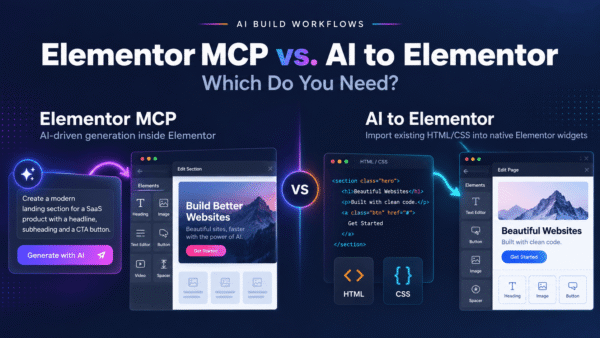

If you’ve been looking at Novamira, you’re probably trying to solve one of two very different problems. Either you want a full AI agent that can reach into your WordPress site and build things autonomously — or you just want to take a design an AI produced and turn it into editable Elementor widgets without fighting broken JSON imports. Novamira is built for the first job. AI to Elementor is built for the second. This page is an honest comparison so you can pick the right one instead of paying for capability you won’t use.
Short version: Novamira is a genuinely powerful tool if you want Claude Code driving your WordPress site through an MCP bridge. AI to Elementor is the simpler, more focused choice if all you actually need is AI HTML in, native Elementor widgets out — no runtime, no bridge, no agent to babysit.
What Novamira actually is
Novamira connects Claude Code to WordPress and Elementor through a Model Context Protocol (MCP) bridge. Priced around €49/year, it turns Claude into an agent that can operate inside your site — reading structure, generating layouts, and pushing changes through the connection. It’s less a “converter” and more a full AI-agent runtime for WordPress.
That’s a real and impressive capability. If you want to say “build me a three-section landing page and wire it into this template” and have an agent go do it against your live site, that agent-driven model is exactly what Novamira is for. Credit where it’s due: giving Claude Code hands inside WordPress is a legitimately different, more ambitious workflow than a single-purpose converter.
The trade-off is what that power costs you in setup and mental overhead. You have to install and configure the MCP server, authenticate it against your site, keep the bridge running, and understand enough of how the agent operates to trust it with a live pipe into production. For people who want an AI agent, that’s the price of admission. For people who just want to move a design into Elementor, it’s a lot of infrastructure for a small job.
What AI to Elementor is
AI to Elementor is a WordPress plugin with one job it does deterministically: it takes HTML and CSS — from any AI tool — and converts it into native, editable Elementor widgets. Headings, text, buttons, images, containers, columns, with your fonts, colors, spacing, CSS animations, and hover states preserved. It runs inside WordPress. There’s no MCP server, no agent, and no live connection between an AI model and your site.
Because the conversion is rule-based parsing rather than an agent improvising against your site, it behaves the same way every time. You paste the HTML, click convert, and get real Elementor widgets you can keep editing by hand. It works with Elementor Free, and you get one free conversion to try it before paying.
Quick verdict: which one should you use?
Choose Novamira if: you want Claude Code as an autonomous agent inside WordPress, you’re comfortable setting up and maintaining an MCP bridge, and you value the site can be operated in natural language across many tasks — not just conversion.
Choose AI to Elementor if: you already have AI-generated HTML (from Claude, v0, Bolt, Lovable, ChatGPT, Stitch, or a Figma export) and you just want it as clean, native, editable Elementor widgets — with zero setup, deterministic results, and no agent touching your live site.
Feature comparison
| Feature | Novamira | AI to Elementor |
|---|---|---|
| Core model | Claude Code agent bridged into WordPress via MCP | Deterministic HTML/CSS → native Elementor widget converter |
| Primary use case | Full AI-agent runtime for building/operating a site | Converting AI-generated HTML into editable Elementor |
| Setup required | Install & authenticate an MCP server, keep it running | Install one WordPress plugin — no bridge |
| Runs where | Agent connects to WordPress through MCP | Entirely inside WordPress |
| Predictability | Agent-driven — flexible but variable | Rule-based — same input, same output every time |
| Editable native widgets | Depends on how the agent builds | Yes — always native, always editable |
| Preserves animations & hover states | Varies with agent output | Yes — fonts, colors, spacing, CSS animations, hover states |
| Source flexibility | Whatever the agent generates | Any AI HTML — Claude, v0, Bolt, Lovable, ChatGPT, Stitch, Figma exports |
| Elementor Free support | Varies | Yes |
| Free trial | Varies | One free conversion |
| Pricing | ~€49/year | $47/yr Solo (30/mo), $79/yr Pro (100/mo), $297/yr Agency (unlimited) |
When Novamira is the better choice
Let’s be fair: there are real scenarios where Novamira wins, and pretending otherwise would waste your time.
If your goal is agent access to WordPress — not a one-off conversion but an ongoing ability to say “add a section here,” “restructure this template,” “generate a variant and wire it in” and have Claude Code do it against your site — Novamira is designed for exactly that. An MCP bridge gives the agent context and hands that a converter simply doesn’t have. If you’re technically comfortable, already work in Claude Code, and want your site to be operable in natural language across many kinds of tasks, that’s a compelling workflow and AI to Elementor doesn’t try to replace it.
You should also prefer Novamira if you actively want generative behavior — an agent that makes design decisions for you — rather than a tool that faithfully reproduces HTML you already have.
When AI to Elementor is the better choice
For most people whose actual problem is “I have a design and I need it in Elementor,” AI to Elementor is the more direct fit:
- No MCP setup. There’s nothing to install beyond one plugin, nothing to authenticate, and no bridge to keep alive. You skip the entire runtime layer.
- Deterministic results. The converter parses your HTML and CSS by rules, so the same design produces the same widgets every time — no agent variability, no surprises on your live site.
- Works from any AI HTML. You’re not tied to one model or workflow. Claude, v0, Bolt, Lovable, ChatGPT, Google Stitch, or a Figma-to-HTML export all feed the same converter.
- Truly native, editable output. You get real Elementor widgets you keep editing by hand — not an embed, not an image, not a locked template.
- Animation preservation. Because it reads the actual CSS, fonts, colors, spacing, CSS animations, and hover states survive the conversion.
- Lower overhead, clear pricing. Annual plans with a free conversion to try, and it works with Elementor Free.
Migrating from Novamira
Moving from Novamira to AI to Elementor is straightforward because you’re removing infrastructure, not adding it. You can leave your MCP bridge configured if you still want agent capabilities for other tasks — the two aren’t mutually exclusive. But for the specific job of turning a design into Elementor widgets, you stop routing through the agent entirely: take the HTML (from Claude Code or any other tool), paste it into AI to Elementor inside WordPress, and convert. No re-authentication, no bridge dependency, no waiting on a live connection. Many teams keep both: an agent for open-ended site work, and a deterministic converter for the high-volume “just make this editable” task.
If you’re weighing several tools at once, our AI to Elementor vs CloneWebX comparison covers another common alternative in the same category.
Frequently asked questions
Is AI to Elementor a replacement for Novamira?
Not exactly — they solve different problems. Novamira is a Claude Code agent bridged into WordPress via MCP, built for autonomous, natural-language site operation. AI to Elementor is a focused, deterministic converter that turns AI-generated HTML into native, editable Elementor widgets. If your only real need is conversion, AI to Elementor replaces the reason you’d reach for Novamira. If you want a full agent runtime, Novamira does more.
Do I need to set up an MCP server to use AI to Elementor?
No. That’s the main practical difference. Novamira requires installing and authenticating an MCP server and keeping the bridge running. AI to Elementor is a single WordPress plugin — you paste HTML and convert. There’s no bridge and no live connection between an AI model and your site.
Novamira is €49/year — how does AI to Elementor’s pricing compare?
AI to Elementor offers $47/year Solo (30 conversions/month), $79/year Pro (100/month), and $297/year Agency (unlimited). Pricing is in a similar range, but you’re paying for a focused converter rather than an agent runtime, and you get one free conversion to try it first.
Can AI to Elementor convert HTML from Claude, like Novamira uses Claude Code?
Yes. AI to Elementor is model-agnostic — it converts HTML and CSS regardless of which AI produced it. Claude, v0, Bolt, Lovable, ChatGPT, Google Stitch, and Figma-to-HTML exports all work. You just paste the markup; the tool doesn’t need a connection to the AI itself.
Are animations and hover states preserved during conversion?
Yes. Because the converter reads the actual CSS rather than screenshotting the design, it preserves fonts, colors, spacing, CSS animations, and hover states in the resulting native Elementor widgets.
Can I keep using Novamira for agent tasks and AI to Elementor for conversion?
Absolutely. They’re not mutually exclusive. Many teams keep an agent bridge for open-ended site work and use AI to Elementor for the high-volume, deterministic job of turning designs into editable Elementor widgets. Using the converter doesn’t require removing anything you already have.
The right tool for the job
Novamira and AI to Elementor aren’t really competing for the same task — they’re competing for your attention while you decide what you actually need. If you want an AI agent living inside WordPress, Novamira’s MCP bridge is powerful and worth the setup. If you want to take AI-generated HTML and get clean, native, editable Elementor widgets without standing up any of that, AI to Elementor is the simpler, more predictable choice.
Try AI to Elementor — paste your AI HTML, get native Elementor widgets, and see the result with one free conversion. Plans start at $47/year and work with Elementor Free.