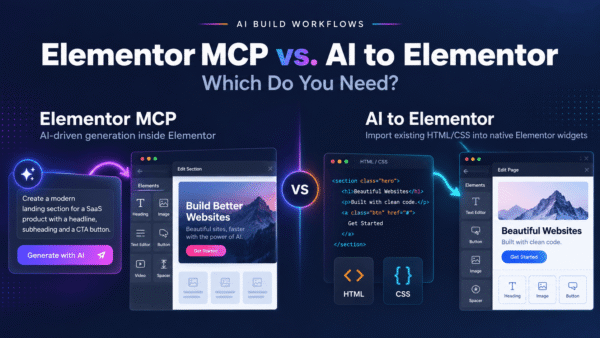
AI can design a website in seconds — the hard part is turning that design into a real, editable WordPress site. In 2026 a whole category of tools exists to bridge that gap, doing very different jobs — from converting AI-generated HTML into editable widgets to generating an entire site from scratch. This honest roundup covers the best AI to WordPress tools: what each one does, and how to choose based on your source.
Full disclosure: this guide is published by AI to Elementor, one of the tools listed below. We have tried to describe every competitor the way its own docs and users do — because you will find out the truth in ten minutes anyway, and a rigged list helps nobody.
1. AI to Elementor
Output: fully editable native widgets. Price: $47–297/year. Best for: turning AI-generated HTML into editable Elementor pages.
AI to Elementor is a WordPress plugin that parses your HTML deterministically, on a server-side engine, mapping each element to a real Elementor widget rather than a frozen block or a lossy 70–80% JSON approximation. Fonts, colors, CSS animations, and hover states are preserved at around 95.5% pixel fidelity. It works with Elementor Free, with one free conversion to try.
- Pros: Genuinely editable native output; deterministic and predictable; preserves animations and hover states; works from any AI HTML; Elementor Free compatible.
- Cons: Paid plugin on an annual license; it converts HTML/CSS, so you need the markup rather than a live URL scrape.
2. ClonewebX
Output: partial — drops interactivity. Source: live pages. Best for: quick static visual clones.
ClonewebX is a popular clone-to-builder tool, fast for simple, static designs. The important caveat comes from its own documentation, which tells users to avoid e-commerce, hover effects, animations, slideshows, carousels, and JavaScript before cloning. Anything on that list, you rebuild by hand.
- Pros: Fast visual replication; good for static, presentational pages.
- Cons: Per its own docs, drops animations, hover effects, carousels, JS, and e-commerce; interactive pages need rework.
3. Novamira
Output: editable, agent-built. Price: €49/year. Best for: developers who want an AI agent inside WordPress.
Novamira connects Claude Code to WordPress through a Model Context Protocol bridge, turning Claude into an agent that builds against your site. It is powerful but requires setup: installing and authenticating an MCP server and keeping the bridge running.
- Pros: Inexpensive annual price; real AI-agent capability; appealing if you already work in Claude Code.
- Cons: Requires MCP setup and maintenance; not beginner-friendly; agent output varies rather than being deterministic.
4. Web2Elementor
Output: partial, may need cleanup. Price: free ~1 use every 2 months, then paid. Best for: occasional one-off conversions.
Web2Elementor is a browser-based SaaS, and its flexibility is real — it accepts a live URL or an image as well as HTML. The trade-off: you convert in the browser and copy-paste the result into WordPress, and the free tier is tightly limited.
- Pros: Accepts URL and image inputs; nothing to install; free to try occasionally.
- Cons: Browser-to-WordPress copy-paste step; roughly one free use every two months; output can need cleanup.
5. UiChemy
Output: around 80% clean. Price: ~$29/month. Best for: designers who work primarily in Figma.
UiChemy is one of the best-known Figma-to-Elementor tools, and for Figma-first teams it is a strong fit. Users generally report roughly 80% clean conversion on disciplined auto-layout files, so some cleanup remains, alongside a steeper learning curve.
- Pros: Purpose-built for Figma; converts directly from the design tool.
- Cons: ~80% clean means manual cleanup; steeper learning curve; monthly subscription; tied to Figma as the source.
6. 10Web / ZipWP
Output: a generated, editable site. Price: varies (paid, limited free tiers). Best for: starting a brand-new site rather than converting an existing design.
10Web and ZipWP are full AI website generators. Answer a few prompts and they build a whole WordPress site — pages, sections, placeholder content — for you to refine. The key distinction: they generate a site from scratch; they do not convert a specific design you already have. They are the wrong category for reproducing an existing design, and exactly right for a site conjured from a description.
- Pros: Fast path to a complete starter site; sensible defaults; no design source required.
- Cons: They generate rather than convert, so they will not reproduce a specific existing design; output still needs your content and polish.
7. Manual rebuild
Output: fully editable. Price: free (your time). Best for: pixel-exact control when you have the hours.
You can always rebuild by hand. It gives total control and a clean native widget tree with no conversion artifacts — at roughly 4–8 hours per page. Defensible for one hero section; expensive across a full site.
- Pros: Complete control; clean native structure; no license cost.
- Cons: Slow (4–8 hours per page); does not scale; your time is not actually free.
Comparison table
| Tool | What it does | Output editability | Source | Price | Best for |
|---|---|---|---|---|---|
| AI to Elementor | Converts HTML to native Elementor widgets | Fully editable | AI HTML/CSS | $47–297/yr | Editable Elementor delivery |
| ClonewebX | Clones a page into a builder | Partial (drops JS/animations) | Live pages | Paid | Static visual clones |
| Novamira | Claude Code + MCP bridge to WordPress | Editable (agent-built) | AI via Claude Code | €49/yr | Developers wanting an agent |
| Web2Elementor | Browser URL/image/HTML to Elementor | Partial (may need cleanup) | URL, image, HTML | Free 1/2mo, then paid | Occasional one-offs |
| UiChemy | Converts Figma designs to Elementor | ~80% clean | Figma | ~$29/mo | Figma-first designers |
| 10Web / ZipWP | Generates a full site from a prompt | Editable (generated) | Prompt (from scratch) | Varies (paid) | Brand-new sites |
| Manual rebuild | Rebuild by hand in Elementor | Fully editable | Anything | Free (4–8 hrs) | Full, pixel-exact control |
How to choose based on your source
The fastest way to pick: ask where your design comes from, not which tool is best.
- AI-generated HTML (Claude, v0, Bolt, ChatGPT, Stitch): use AI to Elementor — it reads that HTML directly into native, editable widgets with animations intact.
- A Figma file: use UiChemy, purpose-built for the Figma-to-Elementor path — budget for some cleanup.
- No design yet, built from scratch: use ZipWP or 10Web — they generate a whole site from a prompt, not convert an existing layout.
- A live URL or screenshot: a browser tool like Web2Elementor can start from those.
- An AI agent in WordPress: Novamira, if you are happy configuring Claude Code and MCP.
- Interactive designs (carousels, JS, e-commerce): avoid clone tools that drop those; convert to native widgets or rebuild.
- Pixel-exact control with time to spare: a manual rebuild.
Two guides go deeper if your task is narrower: our best HTML to Elementor tools comparison focuses on the HTML-to-Elementor job, and our vibe coding to WordPress guide covers turning an AI-described site into an editable WordPress page.
Frequently asked questions
What is the best AI to WordPress tool in 2026?
There is no single winner — it depends on your source and goal. If you have AI-generated HTML that must stay editable, AI to Elementor converts it into native Elementor widgets. If your design lives in Figma, UiChemy fits better. If you want a whole site generated from a prompt rather than converting an existing design, 10Web or ZipWP are the right category. Match the tool to where your design comes from.
What is the difference between converting a design and generating a site?
Converting takes a design you already have — HTML, a Figma file, or a page — and reproduces it in WordPress. Generating builds a brand-new site from a prompt, inventing the layout and placeholder content for you. Converters like AI to Elementor, UiChemy, and ClonewebX preserve a specific design; generators like 10Web and ZipWP create one from scratch. Choosing the wrong category is the most common mistake.
Which tool should I use if my design is AI-generated HTML?
Use AI to Elementor. It is built to read the HTML and CSS that tools like Claude, v0, Bolt, Lovable, ChatGPT, and Google Stitch output, and convert it into native, editable Elementor widgets with animations and hover states preserved. Because the engine is deterministic, the same HTML produces the same widgets every time.
Can these tools turn a Figma file into WordPress?
Yes, though the best path depends on the tool. UiChemy is purpose-built to convert Figma designs into Elementor and is the natural choice for Figma-first workflows. Alternatively, you can export a Figma design to HTML and CSS and run it through AI to Elementor. If you have no existing design at all, a generator like ZipWP or 10Web builds a site from a description instead.
Do any of these keep the output editable for clients?
Some do, some do not. AI to Elementor produces native Elementor widgets that clients edit by clicking, typing, and dragging, and a manual rebuild is editable by definition. Visual clones and frozen HTML embeds are far less editable. Site generators produce editable sites too, but they generate a new layout rather than reproducing your design.
Are there free AI to WordPress tools?
Partly. Web2Elementor has a free tier limited to about one use every two months, several generators offer limited free plans, and a manual rebuild costs no money but takes hours. AI to Elementor offers one free conversion to test on your own page before choosing an annual plan. Fully free, unlimited conversion of a specific design into editable widgets is rare.
Pick the tool that matches your source
The best AI to WordPress tool is not a single product — it is the one that matches where your design comes from and how editable the result must be. Generators build sites from nothing; Figma tools translate frames; clone tools copy static layouts; and if your source is AI-generated HTML that must stay editable, a deterministic converter is the most direct route.
If that last case is yours, run one free conversion with AI to Elementor on your own HTML and see whether the native-widget result holds up. If a Figma tool, generator, or manual rebuild fits better, use that instead — the right tool matches your source.